
How to Monitor, Debug & Continuously Improve Google Search Performance
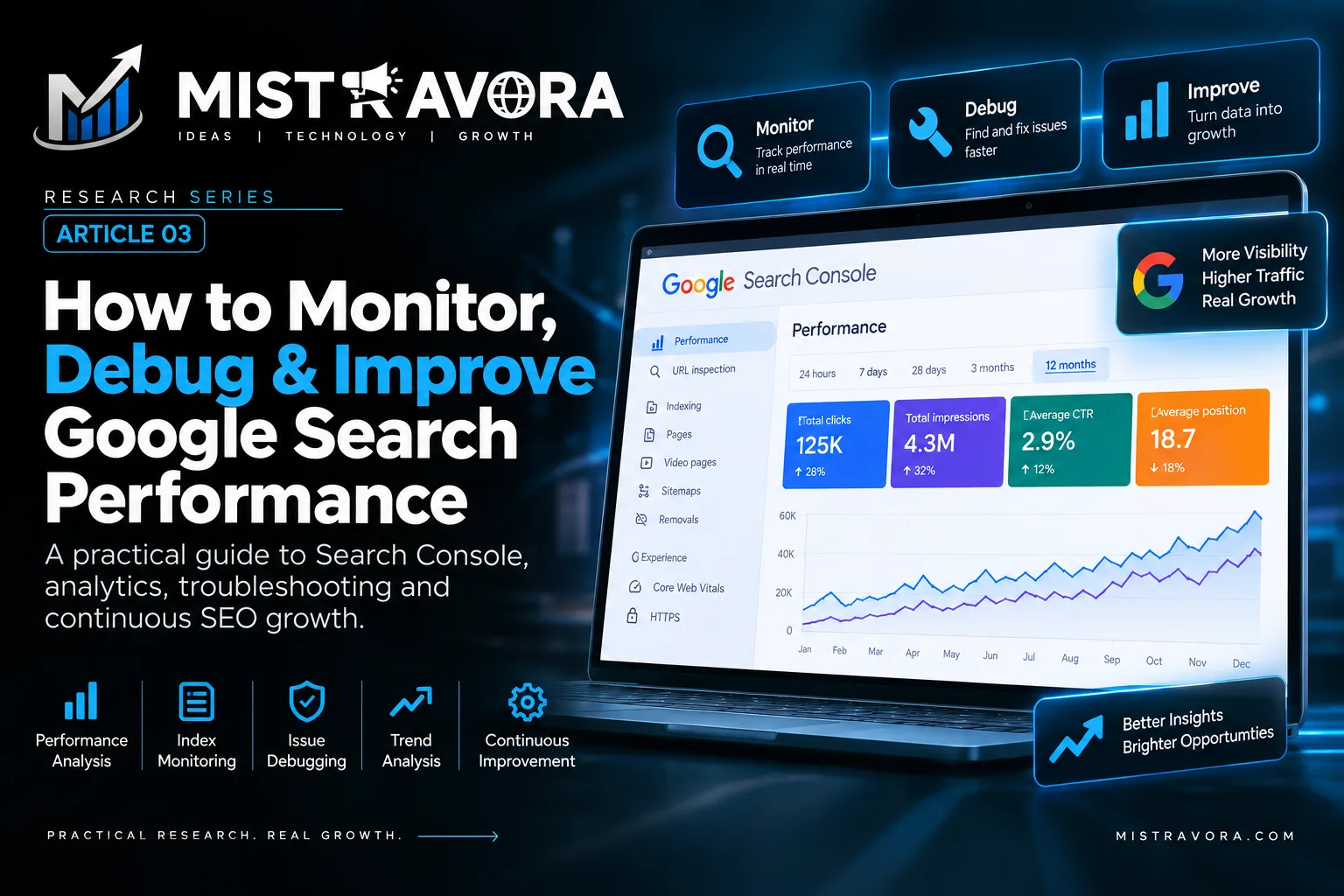
A practical guide to monitoring Google Search performance, diagnosing traffic and indexing issues, using Search Console and Google Trends, and building a continuous SEO improvement system.
On this page
Mistravora Research Series • Google Search • Part 03
How to Monitor, Debug & Continuously Improve Google Search Performance
Publishing, indexing and ranking are not the end of SEO. A website needs an operating system for measurement: observe what Google Search is actually doing, diagnose meaningful changes with evidence, prioritize the right fixes, validate the result and repeat.
This final part of the Mistravora Google Search research series is intentionally different from Parts 1 and 2. It does not reteach crawling, canonicalization, ranking systems, title links, AI Search or structured-data implementation. Instead, it focuses on the measurement and improvement layer: Search Console, performance metrics, URL diagnosis, index monitoring, traffic-drop analysis, Search operators, Google Trends, security and abuse monitoring, ecommerce measurement, international monitoring and a repeatable SEO maintenance workflow.
1. The Search Performance Operating Model
Parts 1 and 2 established how content becomes eligible for Search and how Google may evaluate and present it. The operational question is different: what should a website owner do after publishing?
The answer is not to keep changing SEO until traffic rises. A stronger model is a controlled feedback loop. Establish a baseline, watch the right measurements, identify meaningful changes, isolate likely causes, make the smallest justified improvement and then observe what happens.
- Measure. Establish what normal Search performance looks like.
- Detect. Identify a meaningful gain, loss, anomaly or opportunity.
- Diagnose. Separate technical, demand, content, security and Search-system causes.
- Improve. Make a targeted change based on evidence.
- Validate. Confirm implementation and monitor the outcome over an appropriate period.
2. Google Search Console: The Primary Monitoring Workspace
Google Search Console is the main first-party workspace for understanding how a verified property performs in Google Search. A website does not need Search Console in order to appear in Search, but the tool gives owners performance and diagnostic information that is difficult to obtain elsewhere.
2.1 Questions Search Console can help answer
- Is the site receiving Search impressions and clicks?
- Which queries and pages generate visibility?
- Which countries and devices contribute to performance?
- Are important URLs indexed as expected?
- Are there indexing, enhancement, security or manual-action issues?
- Are submitted sitemaps being processed?
2.2 Property setup is operational infrastructure
Teams should know which domain or URL-prefix properties they use, who owns them and who receives alerts. For organizations managing several websites, documented ownership and access prevents important Search warnings from being delivered to abandoned accounts.
3. Reading Clicks, Impressions, CTR and Position Correctly
Search Console performance data becomes more useful when the core measurements are interpreted together rather than treated as independent scores.
| Metric | What it helps describe | Diagnostic question |
|---|---|---|
| Clicks | Traffic generated from reported Search interactions | Are people actually arriving from Search? |
| Impressions | Search exposure under Google's reporting rules | Is visibility increasing or decreasing? |
| CTR | Clicks divided by impressions | Are impressions turning into clicks? |
| Average position | Aggregate position information across reported impressions | Has visibility shifted for this selected segment? |
3.1 Never diagnose from one metric alone
A fall in clicks with stable impressions tells a different story from a fall in both clicks and impressions. CTR can change because of query mix, device mix or Search-result presentation. Average position can hide large differences between individual queries.
3.2 Compare meaningful periods
Use date comparisons to understand direction, but compare equivalent periods where possible. Seasonal businesses can produce misleading conclusions when one month is compared with a naturally different demand period.
4. Segment Before You Diagnose
Site-wide totals are useful for orientation but weak for diagnosis. Break performance into dimensions that can reveal where the change actually occurred.
- Queries: Which searches gained or lost demand and clicks?
- Pages: Is the change concentrated in one URL, template or directory?
- Countries: Is the effect regional?
- Devices: Is mobile behaving differently from desktop?
- Search type: Is the pattern specific to Web, Images, Video or another available report?
- Search appearance: Is a particular reported feature involved?
- Date: Did the change begin abruptly or gradually?
The strongest diagnostic statement is specific. “Traffic fell” is vague. “Mobile clicks to one product directory in one country fell immediately after a template release” gives a team somewhere concrete to investigate.
5. URL Inspection: Diagnose a Specific Page
Once a problem is narrowed to a URL, URL Inspection becomes one of the most useful Search Console tools. It can show Google's indexed information for a page and can provide a live test where available.
- Check whether Google reports the URL as indexed.
- Review the canonical Google reports for the URL.
- Review crawl information and last crawl where available.
- Use a live test when the current page may differ from Google's indexed state.
- After an important fix, request indexing only when it is appropriate.
This is where earlier knowledge becomes diagnostic instead of repetitive. Part 1 explains canonicalization; Part 3 uses URL Inspection to determine whether an unexpected canonical is part of a real production problem.
6. Monitor Important Index Coverage, Not the Largest Possible Index
The goal is not necessarily to make every URL on a website indexed. Some URLs may be duplicates, utility pages, filtered combinations or intentionally excluded resources. The operational objective is to ensure that important canonical pages are indexed as intended.
6.1 Look for patterns
One excluded URL may be expected. Hundreds of important pages changing state after a deployment can indicate a template-level problem. Investigate by directory, page type, template and release date.
6.2 Prioritize by business importance
A service business may prioritize core service and location pages. Ecommerce may prioritize categories and active products. A publisher may prioritize current reporting and valuable evergreen resources.
7. Monitor Sitemaps After Submission
Part 1 explains sitemap construction. Part 3 focuses on what happens afterward: confirm that Google can process submitted sitemaps and investigate unexpected changes in status or discovered URL patterns.
- Confirm production sitemaps remain reachable.
- Investigate processing errors.
- Ensure generated URLs reflect the current production site.
- Keep obsolete staging or invalid URLs out of sitemap generation.
- Consider separate sitemap groups when they make important site sections easier to monitor.
8. Monitor Enhancements and Rich Result Eligibility After Deployment
Part 2 explains structured data and rich Search experiences. Here the task is operational: watch relevant Search Console reports after structured data is first deployed, after templates or code change, and during periodic performance reviews.
- Watch for unexpected increases in invalid items.
- Inspect representative affected URLs.
- Correct the underlying template or data problem.
- Use the relevant validation workflow when available.
- Continue monitoring after the fix reaches production.
9. Debugging a Drop in Google Search Traffic
A decline does not automatically mean a penalty, an algorithm update or a technical failure. Start by classifying the shape of the change.
| Pattern | Questions to investigate |
|---|---|
| Sudden site-wide drop | Outage, accidental blocking, migration, security incident, major release or Search-wide event? |
| Gradual decline | Demand shift, aging information, changing competition or broader Search change? |
| One directory only | Template, internal navigation, content or deployment specific to that area? |
| One country/device | Localization, delivery, UX or market-specific issue? |
| Impressions stable, clicks down | Query mix, result presentation or user demand rather than disappearance from the index? |
9.1 Check external demand
Search demand can change while the website remains technically healthy. Google Trends can help determine whether broader interest in a topic or category changed during the same period.
9.2 Check your own change log
Record redesigns, CMS migrations, routing changes, template releases and major content updates. A reliable deployment history can turn an open-ended traffic investigation into a focused comparison.
9.3 Check official Google-side information when relevant
Official Search status information and documented ranking updates can provide useful context. Timing is evidence to investigate, not automatic proof that an update caused a specific site's change.
9.4 Compare affected and unaffected groups
If only one template changed performance after a release, compare it with similar templates that remained stable. Differences between groups are often more useful than the site's overall traffic graph.
10. Search Operators: Useful Clues, Not an Indexing Database
Search operators can support quick investigation, but they should not be treated as a precise inventory of Google's index.
| Technique | Useful for | Limitation |
|---|---|---|
site:example.com | Sampling results associated with a domain | Not a complete or exact index count |
site:example.com/path/ | Sampling a directory or URL area | Not an authoritative coverage report |
| Quoted distinctive text | Investigating whether specific wording appears in Search | Results still depend on Search systems and query context |
Use operators to form hypotheses. Use Search Console and direct technical inspection to validate important conclusions.
11. Google Trends: Separate Market Demand From Site Performance
Search Console and Google Trends answer different questions. Search Console describes how your property performed. Trends helps explore how search interest changes more broadly.
- Identify seasonality before comparing periods.
- Compare terminology people use for related topics.
- Observe rising topics that may deserve research.
- Compare interest across regions.
- Test whether a decline may reflect market-wide demand rather than only your site.
12. Security, Spam and Abuse Monitoring
Search performance can be damaged by problems outside traditional SEO: compromised pages, injected spam, malicious redirects, hacked content or uncontrolled user-generated pages.
12.1 Treat Search Console alerts as operational alerts
Manual Actions and Security Issues require attention. Notifications should reach active owners and technical staff instead of remaining in accounts nobody monitors.
12.2 Watch for abnormal Search patterns
- Queries unrelated to the business suddenly appearing.
- Unknown URLs showing in performance data.
- Unexpected pages in another language or commercial category.
- Unexplained redirects.
- Large-scale URL creation caused by compromised plugins or uncontrolled inputs.
12.3 User-generated content requires governance
Sites with profiles, forums, comments or public uploads need moderation, access controls and abuse detection. Platform security becomes Search quality when attackers can publish indexable content on the domain.
13. Ecommerce Search Monitoring
Ecommerce creates an operational challenge because product state changes frequently: availability, price, variants, categories and inventory can change without the underlying template appearing broken.
- Track performance by product and category groups.
- Monitor relevant product or merchant enhancement reports where available.
- Watch template releases for large increases in invalid items.
- Compare active, unavailable and discontinued product handling.
- Check consistency between product feeds and on-page information where applicable.
13.1 Separate branded and non-branded discovery
A store can gain searches for its brand while losing category discovery, or the reverse. Segmenting these query groups creates a more useful picture than one total traffic number.
14. International and Multilingual Monitoring
International sites should review performance by country, language section and URL group. A global total can hide a serious issue affecting only one market.
- Compare language directories independently.
- Review whether intended regional URLs receive traffic from expected markets.
- Check whether a translation deployment coincided with coverage changes.
- Compare localized query demand rather than assuming translations perform equally.
- Investigate regional technical changes at the hostname or directory level.
The implementation of international SEO deserves its own specialist guide. Here the principle is operational: segment international data before diagnosing global performance.
16. Measure Website Changes Like Experiments
Teams often make many changes at once and then cannot identify what produced the outcome. Maintain a simple SEO change log for important releases.
| Record | What to capture |
|---|---|
| Date | When the production change became live |
| Scope | Entire site, directory, template or individual URLs |
| Change | Navigation, content, migration, rendering or performance release |
| Expected outcome | What the team believes should improve |
| Validation | How the implementation was checked |
| Review point | When performance will be examined again |
Search systems do not necessarily respond instantly. The correct observation period depends on the type of change, crawl frequency, demand and available data.
17. Prioritize SEO Work by Impact, Confidence and Evidence
Not every warning deserves equal engineering time. A practical priority model considers business importance, affected URL count, severity, confidence and implementation cost.
- Critical access or security failures: investigate immediately.
- Important pages unexpectedly disappearing: high priority.
- Template-wide failures affecting valuable content: high priority.
- Performance opportunities supported by query/page evidence: schedule by expected value.
- Cosmetic warnings with no demonstrated impact: investigate proportionally.
This prevents teams from spending days on low-impact dashboard warnings while an important commercial section has a real production problem.
18. A Practical Search Maintenance System
Weekly or after high-risk releases
- Check important Search Console messages and security alerts.
- Review major performance anomalies.
- Validate high-risk production releases.
- Inspect critical URLs when templates, routing or rendering changed.
Monthly
- Compare clicks and impressions with appropriate prior periods.
- Review winning and declining query/page groups.
- Segment by device and country where meaningful.
- Review indexing patterns for important page groups.
- Check sitemap and enhancement reports.
- Review Core Web Vitals trends where relevant.
- Use Trends to add seasonality and demand context.
- Record findings, actions, owners and follow-up dates.
Quarterly
- Review important site pathways and information architecture.
- Audit outdated or declining content groups.
- Review ecommerce or international sections independently where applicable.
- Check property ownership, permissions and alert routing.
- Confirm Search KPIs still support business objectives.
19. Technical Search Monitoring Checklist
This checklist intentionally focuses on monitoring. The implementation of robots, sitemaps, JavaScript, canonicals and redirects belongs to Part 1.
- Important production pages remain reachable.
- Unexpected indexing exclusions are investigated by pattern.
- Critical URLs are spot-checked with URL Inspection.
- Sitemaps are processed without unexplained failures.
- Migrations and important redirects are monitored after release.
- Unexpected canonical selections are investigated when they affect important pages.
- Enhancement errors are monitored after template releases.
- Core Web Vitals field trends are reviewed where relevant.
- Manual Actions and Security Issues are clear or actively handled.
- Search Console ownership and alert routing remain current.
20. Content Performance Review
Search data should be combined with editorial and business judgment. A page with few clicks is not automatically bad; it may serve a small but valuable audience. A high-traffic page can also be commercially weak if it attracts the wrong intent.
- High impressions + strong clicks: protect and maintain.
- High impressions + weak clicks: investigate query fit and Search presentation.
- Declining impressions: investigate demand, relevance, competition and technical changes.
- Growing new queries: consider whether the resource should be expanded to satisfy the emerging need.
- No meaningful visibility: verify that the page has a clear Search purpose before repeatedly “optimizing” it.
20.1 Update for a reason
Do not change dates or rewrite content merely to manufacture freshness. Update when facts change, evidence improves, user needs evolve or the resource can become materially more useful.
21. Build a Dashboard That Leads to Decisions
A useful dashboard should reduce decision time rather than display every available metric. Organize reporting around questions.
| Question | Possible measurements |
|---|---|
| Are people finding us? | Impressions, query coverage, discovery by page group |
| Are they visiting? | Clicks, CTR, landing pages |
| Is the Search footprint healthy? | Important indexed pages, errors, security and enhancements |
| Does Search create value? | Leads, purchases, bookings, qualified engagement or another business outcome |
Search Console is not a complete business analytics platform. Where appropriate, connect Search performance analysis with privacy-respecting analytics and conversion systems so traffic can be evaluated by value as well as volume.
22. Mistravora Research Findings
- Monitoring is its own SEO discipline. Building a search-friendly page and operating a search-visible website are different responsibilities.
- Site-wide averages hide causes. Query, page, country, device and content-type segmentation usually creates more actionable evidence.
- Search Console and Trends answer different questions. One measures property performance; the other adds broader demand context.
- Not every traffic drop is an algorithm problem. Releases, seasonality, demand changes, security incidents and page-level changes can produce similar symptoms.
- Monitoring should follow deployment. Templates, structured data, migrations and major content systems need post-release observation.
- Security belongs in Search operations. Hacked or abused pages can become Search-quality problems quickly.
- SEO reporting should connect to business outcomes. Visibility matters most when it supports real organizational objectives.
- Continuous improvement beats random optimization. A documented measure-diagnose-improve-validate cycle creates knowledge over time.
23. The Complete Three-Part Google Search Framework
The Mistravora series is designed so each article owns a different stage instead of repeating the same SEO material.
| Part | Primary question | Unique scope |
|---|---|---|
| Part 1 — Discovery & Understanding | Can Google access and understand the website? | Discovery, crawling, rendering, indexing and technical eligibility |
| Part 2 — Ranking & Appearance | How can eligible information be evaluated and displayed? | Ranking systems, AI Search, Search appearance and rich experiences |
| Part 3 — Monitoring & Growth | How do we measure, diagnose and improve real performance? | Search Console, debugging, demand analysis and continuous operations |
24. Research Sources
Official Google documentation is the primary authority for Google-specific statements in this article. Part 3 intentionally emphasizes monitoring and diagnostic references rather than duplicating the implementation references already collected in Parts 1 and 2.
Search Console & Performance
- Get Started With Google Search Console
- Search Console Performance Report
- URL Inspection Tool
- Debug Drops in Google Search Traffic
- Google Search Operators for Debugging
Trends & Multi-Platform Search Analysis
Security & Search Quality
- Preventing and Monitoring Abuse
- Google Search Spam Policies
- Search Console Manual Actions
- Search Console Security Issues
Site-Specific Guides
- Ecommerce Guidance for Google Search
- International and Multilingual Sites
- Explicit Content and SafeSearch Guidance
Current Google Search Information
Understanding Google Search • Research Series
The Core Google Search Research Series Is Complete
Part 1: Discovery & Understanding
Part 2: Ranking & Appearance
Part 3: Monitoring & Growth
Future Mistravora publications can now expand individual areas—such as local SEO, ecommerce, international SEO, JavaScript SEO or AI visibility—without duplicating the foundation established by this three-part series.
Want to discuss this research?
We'd love to hear your thoughts or collaborate on future studies.
Get in touch
15. Social and Video Content Can Now Be Analyzed Through Search Console
Google's current documentation explains Search Console analysis for content on platforms such as TikTok, Instagram, X and YouTube. Eligible platform properties can provide insight into how people discover that content through Google Search, Discover and Google News.
15.1 What teams can learn
This creates a useful bridge between SEO and digital marketing. Search data can reveal what audiences already care about and can inform future content planning without turning trend data into low-value content spam.